Desktop Application

Biasly • 2025 • 1 minute read

I refined and optimized 40+ existing webpages and designed 11 new pages for a new B2B SaaS multiform desktop application, improving usability and reducing drop-off rates. In less than 150 hours I expanded an existing design system, introducing complementary UI elements to enhance user experience.

Internship

Internship

Internship

B2B SaaS

B2B SaaS

B2B SaaS

Conceptual

Conceptual

Conceptual

Role

UX Design Intern

Tools

Figma, Bias Meter, Google Workspace

Duration

4 months

Personal Impact

  • Introduced/designed a Single form option

  • Expanded design system with new UI elements

  • Collaborated with PM to iterate quickly

  • Completed 12 surveys for content analysis

  • Completed SUS testing to improve experience

  • Enhanced UX using media literacy research

  • Applied key principles from Don't Make Me Think

cONTEXT

Design Constraints

  • Limited to 150 hours, divided between media literacy/UX training, completing surveys, and designing the desktop application

  • Recently learned Figma through self-teaching

  • No prior experience in the finance industry or familiarity with target users

  • Solo design effort, collaborating only with a Product Manager

  • No existing user research to reference

  • A design system still being finalized

  • Limited to 150 hours, divided between media literacy/UX training, completing surveys, and designing the desktop application

  • Recently learned Figma through self-teaching

  • No prior experience in the finance industry or familiarity with target users

  • Solo design effort, collaborating only with a Product Manager

  • No existing user research to reference

  • A design system still being finalized

Multiform Process

Before

Single Form Process

after

DESIGN DECISIONS

Dashboard Redesign:


The original dashboard was crowded and hard to scan — long business names and wide tables caused content to overflow on smaller screens. I reorganized the layout by combining offering details into a single column and separating status updates into their own sections. I added color to highlight recent changes, replaced static chips with interactive hover/click popups, and introduced icons to clarify task statuses and guide users more intuitively.
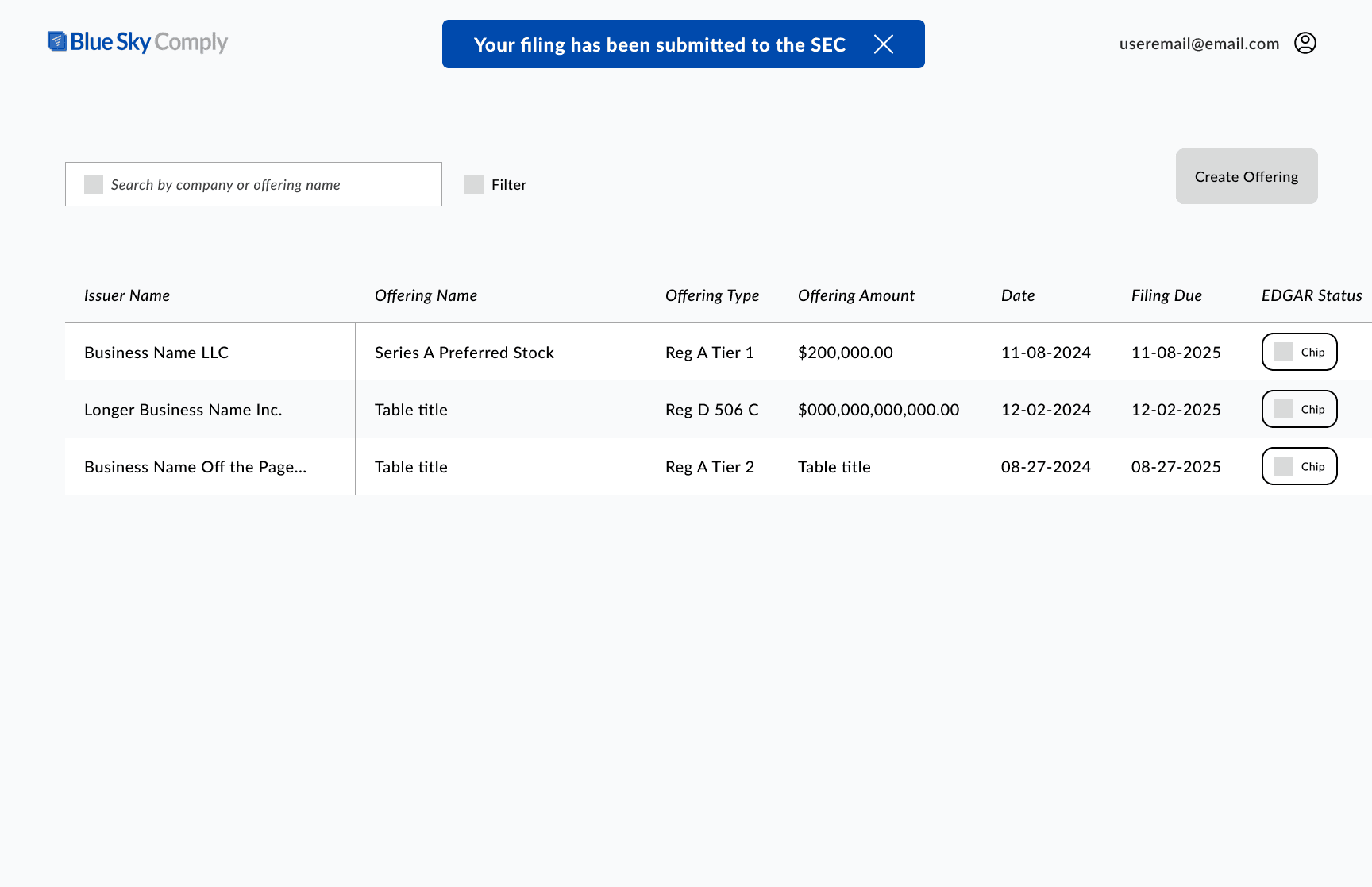
Before
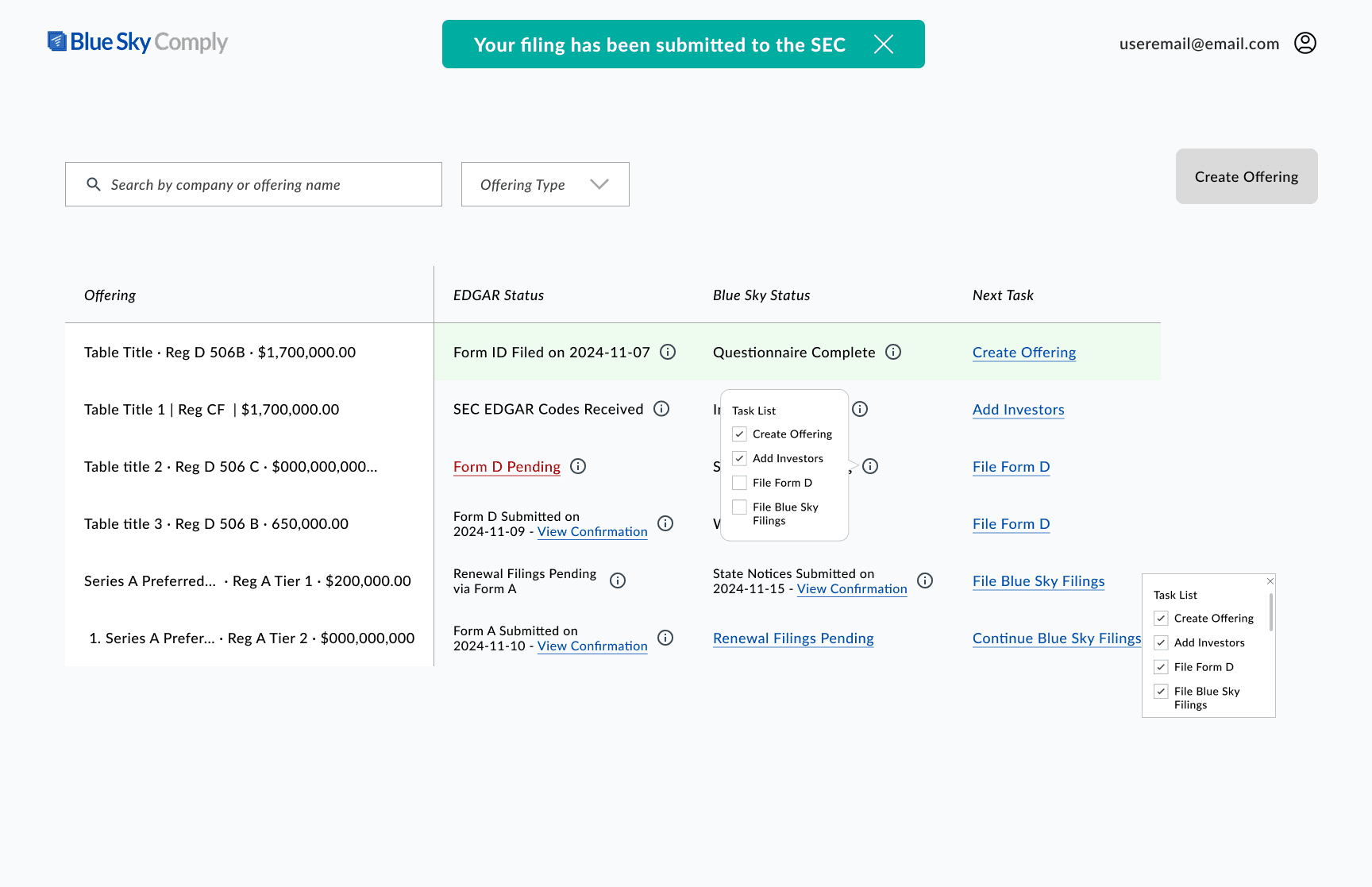
after

Form Navigation + Interaction Improvements

I replaced the cluttered multi-dropdown menu with a cleaner collapsible sidebar and added a visible autosave indicator so users could trust their progress was saved. Content areas were expanded to reduce crowding, and longer forms now support vertical scrolling instead of splitting content across screens. I introduced editable charts and overlay modals so users could make updates without navigating away from their current step.
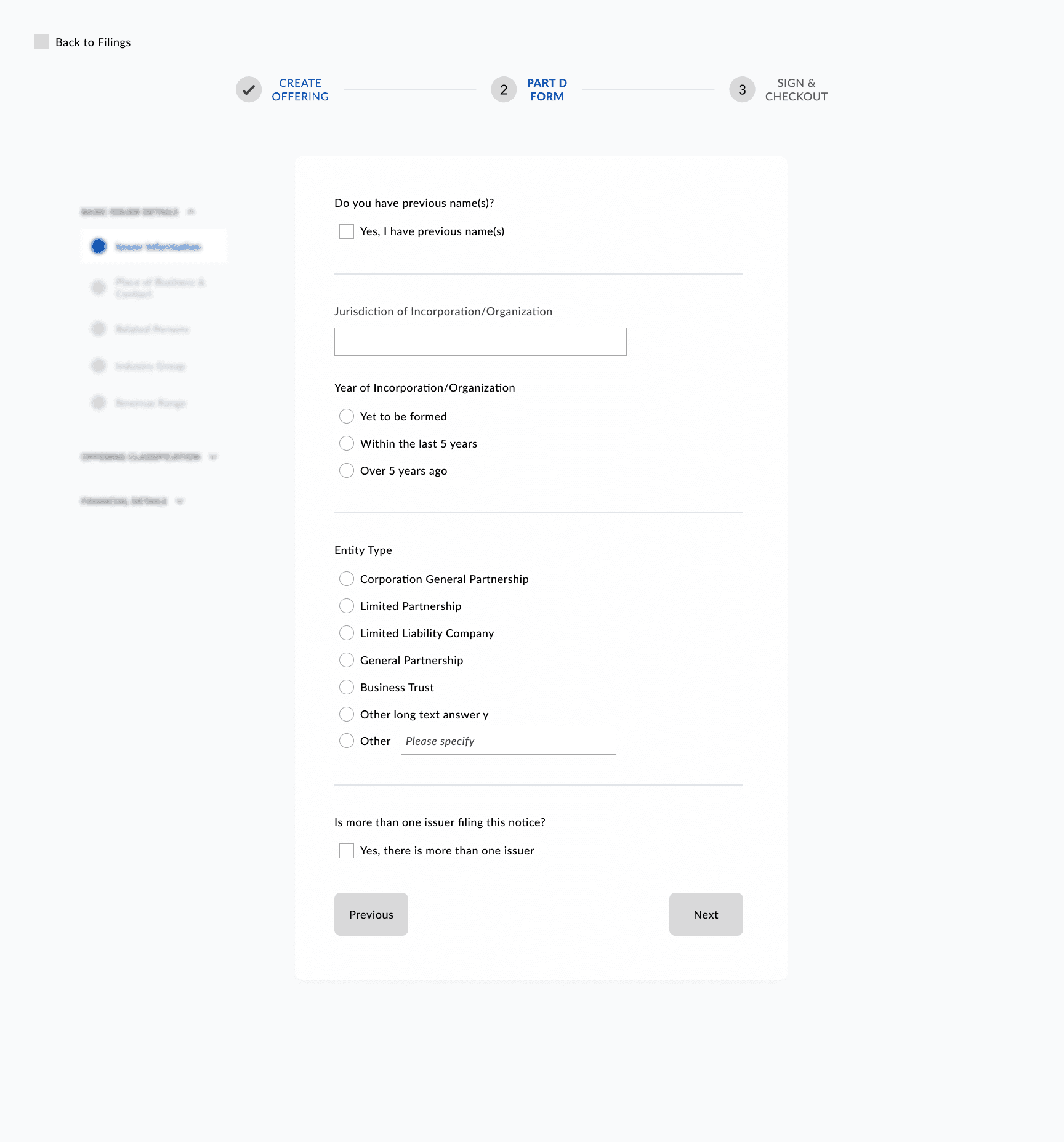
Before
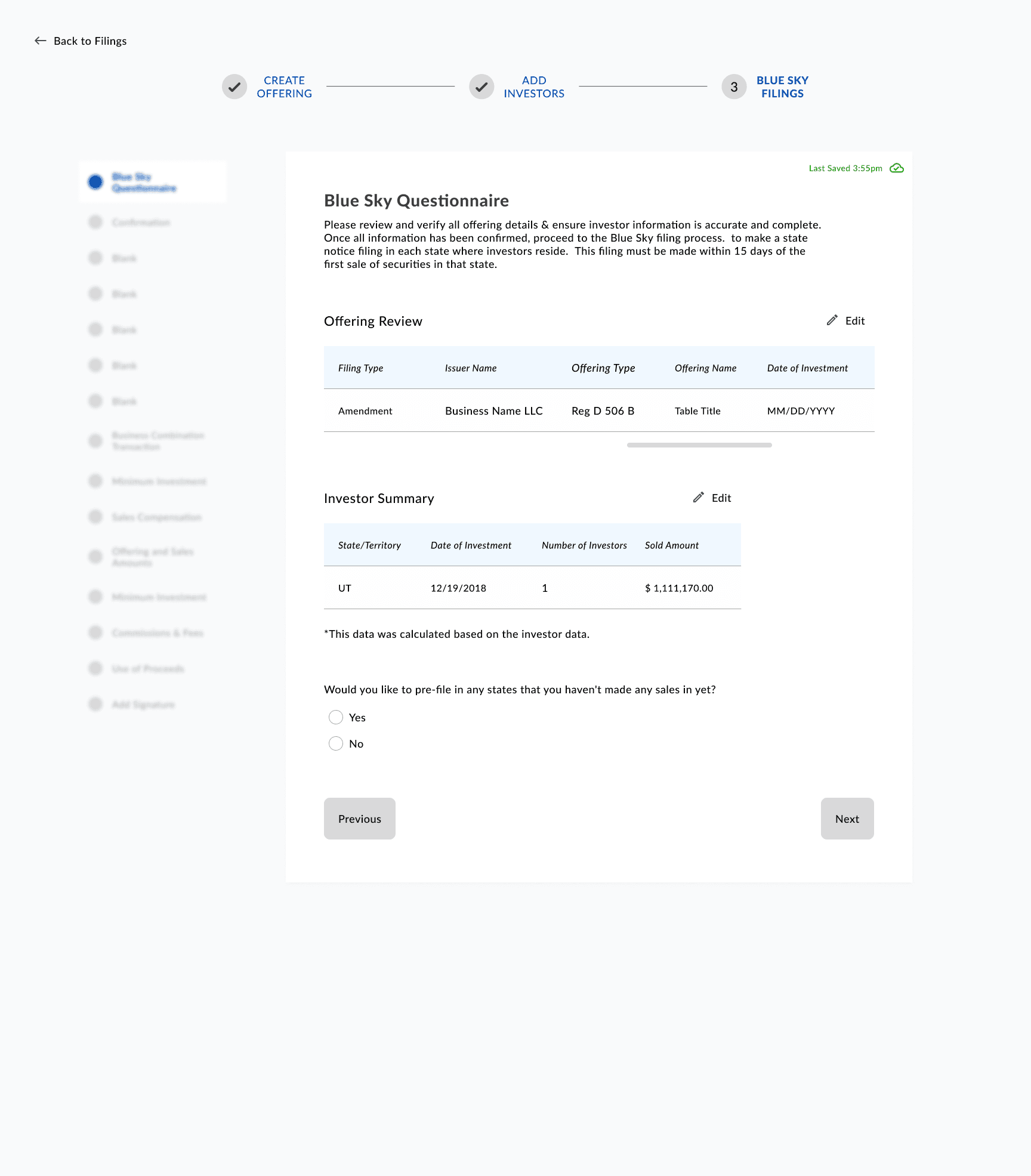
after
REFLECTION

This project was a crash course in designing under real-world constraints—tight timelines, no existing research, and an unfamiliar industry. Unlike past projects where I was the only designer in client-facing rooms, I got to collaborate directly with a Product Manager, which sharpened my ability to iterate quickly, prioritize user needs, and advocate for design clarity. It was a fast-paced but rewarding experience that pushed my skills and deepened my confidence.

This project was a crash course in designing under real-world constraints—tight timelines, no existing research, and an unfamiliar industry. Unlike past projects where I was the only designer in client-facing rooms, I got to collaborate directly with a Product Manager, which sharpened my ability to iterate quickly, prioritize user needs, and advocate for design clarity. It was a fast-paced but rewarding experience that pushed my skills and deepened my confidence.

Let’s connect.
Get in Touch

<< Back to

Product Design Projects

Copyright © 2026 Lilian Juma